Navigate to the ClientInstaller directory on the CROSSCAP Enterprise DVD. Identify and launch the following executable:
CrosscapV3.x.y.zzzzz.exe
(x.y.zzzzz indicates the current program version and will vary).
Begin by choosing your setup language. Confirm with OK.
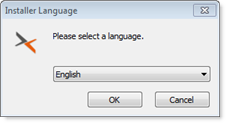
A setup wizard will guide you through the entire installation.
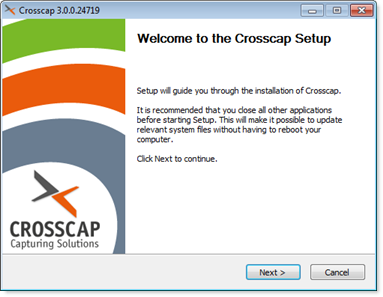 |
Click Next to begin the installation. |
License agreement:
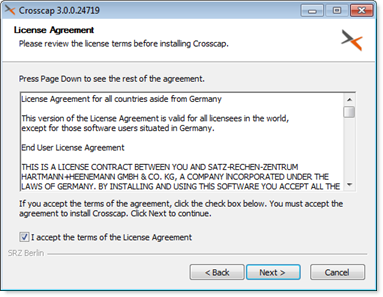 |
The wizard will ask you to accept SRZ Berlin's general terms of license. Confirm by ticking "I accept ..." and then clicking Next. |
Target directory for program files:
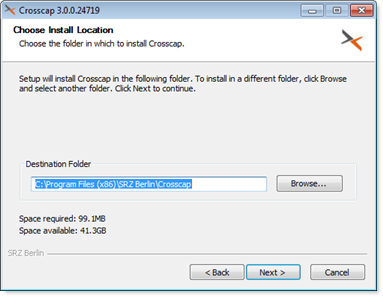 |
Choose a target directory (the location on your hard drive where the CROSSCAP Scan-Client program files will be installed). It will usually be ok to accept the folder suggested by the wizard. Click Next to continue. |
Start menu folder:
 |
Select a suitable start menu folder. By default, CROSSCAP Scan-Client program shortcuts will be placed at the top level of the start menu. In this example, however, we have selected the Accessories subfolder. When done, continue with the installation by clicking Install. |
CROSSCAP Scan-Client will now check if all required system libraries are present:
-
If they are, installation will continue with step CROSSCAP Scan-Client installation continues, further below:
-
If not, the installation script will branch out and launch the installation of Windows C++ runtime components.
Windows C++ runtime:
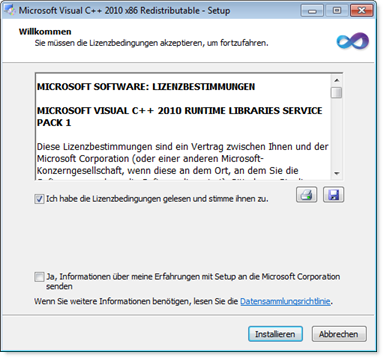 |
You will need to accept a (separate) licensing agreement with Microsoft. |
Windows C++ runtime installation complete:
 |
Click Finish to close. |
CROSSCAP Scan-Client installation continues:
The CROSSCAP Scan-Client setup wizard will wait until the Microsoft Windows C++ installation has completed ...
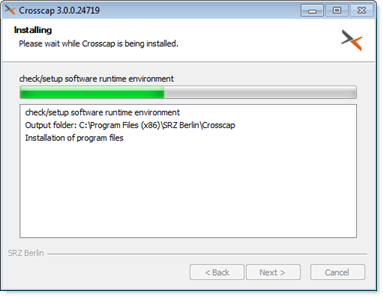 |
... and will then proceed, automatically. |
CROSSCAP Scan-Client installation complete:
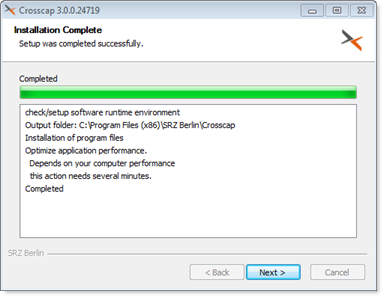 |
Program installation may take a while, the CROSSCAP Scan-Client installation wizard will eventually confirm that it has finished. If all looks well, press Next to conclude the setup procedure. |
Close the installation wizard:
 |
Click Finish to terminate the installation wizard and return to the operating system. You may now launch the CROSSCAP Scan-Client. |
Please make sure to also check all other settings described in section Initial system configuration, elsewhere in this chapter.
Further background information on the CROSSCAP Scan-Client (client update functionality, operational changes, operating modes) may be found in a separate chapter, CROSSCAP Scan-Client.