Here is a list of changes when switching from a CROSSCAP single user version to CROSSCAP Enterprise.
Program Settings:
The following program settings are disabled or are without effect:
- Program settings > General program settings > Display settings: User management on/off
- Program settings > General program settings > Process manager: All items in this section
- Program settings > General program settings > Digital signature: All items in this section
Project Settings:
The following project settings are disabled or without effect:
- Project settings > Common settings: Finalize via process manager
- Project settings > Export options: Sendmail is no longer available
Process manager:
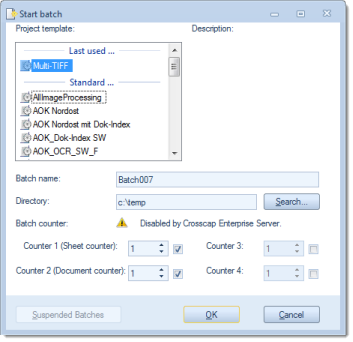
Dialogue "Start Project":
The display/entry field for the batch counter is no longer available. Instead, a message is displayed: "Disabled by Crosscap Enterprise Server".